


 Home
Homev 2.01 released, see below
v 2.2 is coming soon,
v 2.2 v 2.21 released – click here
you may want to wait a day or three before making too many manual modifications on v. 2.01. (Settings that you made on the theme’s options page will be recognized and carried over to the new version 2.2 when you install 2.2 – at least most of the settings.)
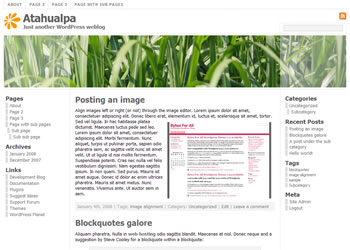
Test Drive Atahualpa 2.0 2.2 2.21

For WordPress 2.2, 2.3, 2.5 and 2.6, and all common browsers including IE6.
2 or 3 columns, FLUID width, widget ready, options page, rotating (or static) header image(s), custom logo icon (or none), related posts, popular posts, popular posts in current category, WP-Print, WP-Email, WP-Pagenavi, Subscribe to comments, Gravatars, WP2.6 image captions, highlighted author comments, SEO features, source ordered, table-free, valid XHTML, GPL licensed.
New in 2.0:
- Popular Posts feature via the Plugin Most Commented (Integrated into the theme as a function). Based on number of comments per post. On category pages, it will display the popular posts in the given category.
- Option to remove left or right sidebar to get a 2 column layout with one click.
- Custom, integrated version of “Related Posts“. Plugin is provided with the theme.
- Gravatar support. For older WP versions, too.
- Rotating Header Images. (Optional, you can still have a static header image)
- Greatly improved comment area styling. Blog owner comments now highlighted.
- Option to modify/remove the opacity on both sides of the header image.
- Option to remove the logo icon on the left hand side of the blog title on the options page. You can add your own logo icon, too.
- New WordPress 2.6 classes for image caption and image alignment
- “Home” link on the top nav bar
- Javascript color picker (jscolor) and a few additional options on the options page.
- Now licensed as GNU/GPL
Plug & Play these Plugins:
Some of these plugins were slightly modified, i.e. the “Related Posts” plugin would display “No related posts” if there were none, I changed it to not display anything if there’s nothing to display. Use the plugins that are provided with the theme.
If you want to keep your existing version 1.0 and run both untill you’ve carried over your existing modifications, you can do this easily: Atahualpa 2.0 will be in the directory /wp-content/themes/atahualpa2/ whereas the old Atahualpa version 1.0 stays in /wp-content/themes/atahualpa/.
There was an error in the meta tags of single posts and pages when you used quotes or double quotes in the title. The error has been fixed in the download above. Around 90 people have downloaded the inital version 2.0, and some of them have already updated to 2.01. The fixed version has the version number 2.01 in the style.css. If your version says “2.0” in style.css (because you downloaded an earlier version), please download again, or, if you rather not download/upload the whole theme again, simply replace
/wp-content/themes/atahualpa2/functions/bfa_meta_tags.php
with the new bfa_meta_tags.php which you can download here (unzip and upload/overwrite the old bfa_meta_tags.php with this new file).
I am sorry for the inconvenience. Again, the download above IS fixed (and the download at wordpress.org is fixed, too, the broken version was never on wordpress.org).
Changelog from version 2.0 -> 2.01:
- Meta title tag was broken: If you used quotes or double quotes in post or page titles, those quotes would be encoded twice, once by WP and once by the theme, leading to wrong XHTML markup. Apparently WP does this for post titles, page titles and tag titles, but not for search query terms and category titles. FIXED: Now the theme will do the ASCII code thingy only where WP doesn’t, and leave the rest to WP.
- When you create categories in WP you can give them a description, in the admin area. The Atahualpa Theme will use that category description for the meta description tag of a category page. (If you didn’t give the category a description, no meta description tag will be created for that category page). That was the plan but it didn’t work because, surprisingly, the WP function category_description() seems to include a paragraph tag at the start and end of that description. I had not thought about stripping html tags from that function. FIXED.
- When I wrote the README.txt I had “atahualpa” in mind as the directory name for the theme. The final directory name became “atahualpa2” so users of the initial Atahualpa (1.0) release would be able to run both simultaneously. I forgot to change all occurrences of Atahualpa in README.txt to atahualpa2. FIXED.
This is a rather mature and well tested theme. I’ve triple checked a lot of things but the above mentioned things managed to slip through.
Changelog from version 1.0 -> 2.0:
- Meta tags were partially broken, wrong XHTML, or missing, under certain circumstances: Fixed & completely revamped and improved meta tag generation
- The styling of the default “Recent Comments” widget was messed up, fixed by integrating the plugin “Simple Recent Comments” into the theme.
- Older/newer entries link was missing at the bottom of home and archive pages, fixed.
- The plugin WP-Email used to create 3 forms instead of 1 when in “standalone” mode, fixed.
- Current page wasn’t highlighted in top nav bar in WP 2.6, fixed
- Calendar widget wasn’t styled, fixed
- Smilies had no own style and got the (too big) default margin of images , fixed
- Made the search box in the header to stay in line with the width of the right sidebar.
- Margin around header image was bigger than wanted in IE6, fixed
- Cleaned up the code a bit, should be easier now to make your own modifications
The other themes will get similar fixes & improvements shortly.
December 5th, 2012 at 11:52 am
Where is the “Related Posts” located that you said was integrated and provide with the theme? I can’t find it anywhere.
November 2nd, 2012 at 1:32 am
I want to download the theme but a ‘page not found’ message appears. What’s the problem? Anybody, Please…
November 16th, 2011 at 8:47 pm
Atahualpa is a fantastic theme for my wordpress blog. Best option is that we can develop it for more designs. Thanks for the theme.
October 19th, 2011 at 8:15 pm
I love the ease of use for the header. I can’t wait to add my image and logo.
October 13th, 2011 at 5:17 am
Fantastic theme. Thanks man! This is awesome. I am as exciting about the potential of this theme as the iPhone 5!
What is the greatest thing about this is the price – FREE! Keep up the good work! 🙂
September 7th, 2011 at 3:32 am
Thank you so much for the fantastic themes. We have used your theme to created our church website.
and we have more than 1000000 views.
blog.ccmchurch.com.au
March 25th, 2011 at 3:53 am
[…] Atahualpa […]
March 19th, 2011 at 11:23 am
I have been creating pages and posts in WordPerfect then pasting them into Windows notepad to remove the BOM error by taking out the first character, then pasting that content into WordPress. I keep ending up with a lot of unwanted line breaks that were not in my original text.
February 13th, 2011 at 9:14 pm
Thank you for good theme.
January 7th, 2011 at 6:21 pm
how do I power a website with this website cause theres a WP blog called CPBreak and they have powerd there website with bytesforall can you tell me how to power it with this website I also got a WP site also btw
December 30th, 2010 at 10:30 pm
I have the same problem: can’t get rid of the black horizontal lines below and above header image. Thanks
November 29th, 2010 at 6:46 am
Am happy to donate to a great design – thankyou for saving us so much time! I’ve used your theme for a parent education blog about baby flash cards and baby dvds. Love this theme, it’s really adjustable design.
November 25th, 2010 at 7:17 am
Incredible! That’s what I want, awesome WP theme. I use this theme on my group blog! Thanks for your work, guys!
November 22nd, 2010 at 1:53 am
I have the same problem: can’t get rid of the black horizontal lines below and above header image. Thanks
November 7th, 2010 at 2:03 am
Hello! Great themes here. Can the page navigation be moved below the header image on the Montezuma theme or on the Atahualpa theme?
Also, where can I see a 3-column demo of the Atahualpa theme? I keep seeing the 2-column layout but not the 3.
Thanks!
October 30th, 2010 at 5:34 pm
Nice theme guys – continue the good work. I’ll be using this on my other sites other than my rooter.org site.
October 29th, 2010 at 8:01 pm
love your theme
Thnaks
September 3rd, 2010 at 5:08 pm
One question, how to configure that the posts display expanded on the pages?
Currently, by default, first 3 lines of post are shown on the page for each post. Example in my link
September 3rd, 2010 at 5:06 pm
Great effort. Very nice WP theme. Using it for the blog. Highly appreciate the beautiful work.
Keep it up.
Check back the blog
July 20th, 2010 at 10:29 pm
Truly beautiful theme about the nature
July 8th, 2010 at 8:31 pm
Hello,
We are using 3.4.6 and have a problem that was apparently fixed in 2.0?:
– search box in the header to stay in line with the width
On our site it is not inline, it hangs-out far to the right of our 950 px page. Any ideas how to fix this?
Thanks,
Cindy
July 1st, 2010 at 9:18 am
Hello there, I was just curious as to whether or not this theme is compatible yet with the new WordPress 3.0? WP wants me to update of course, but I don’t want to if it will cause the wonderful Atahualpa theme to run incorrectly. Anyone know?
June 23rd, 2010 at 4:53 am
Hi.
Any idea how I can make the tag page show whole posts?
Like this page?
http://www.petterah.no/tag/kortfilm-trondheim/
June 18th, 2010 at 1:23 pm
I am attempting to find out if my Atahualpa Bytesforall has a H1 heading tag. Any assistance would be appreciated.
Daniel
June 15th, 2010 at 6:45 pm
I have the same problem: can’t get rid of the black horizontal lines below and above header image. Thanks
June 14th, 2010 at 8:16 am
Steve – I think I just posted the answer to your question in this thread on the forum http://forum.bytesforall.com/showthread.php?t=7559
June 11th, 2010 at 2:08 am
how do i get rid of that black horizontal line just below the page menu bar ? i just can’t work it out. Thanks
May 21st, 2010 at 1:35 pm
Great theme – so versatile it makes life so much easier! Thanks for your hard work!
Here’s one for you though! Not sure if its possible…or if its really easy and I am being think!
I am creating a website using this theme and it will have a blog element to it. As such, I have created a static front page and the posts will appear in one of the sub pages.
My question is this…I want to have the rotating image header on the front page only and not on any of the other pages (I just want the logo on these).
Is there an easy code modification so that can be achieved?
Many thanks
John
May 11th, 2010 at 12:08 pm
I just tried installing this with WordPress MU, and kept getting errors like:
Warning: Cannot modify header information – headers already sent by (output started at /var/www/wp-content/themes/atahualpa2/functions.php:572) in /var/www/wp-login.php on line 302
I edited the last 3 lines of functions.php to change from
}
?>
<?php } ?>
to
}
} ?>
That fixed the problem.
Looks like this theme will work well for us. Thanks!
April 21st, 2010 at 9:35 am
I would like to replace the suscribe aera above search box by a language selector div. How to proceed? Help me please:!!!!
April 7th, 2010 at 8:47 pm
Love this theme, it’s really adjustable design.
August 25th, 2009 at 1:29 am
Using Atahualpa 2.01 and just need to get the default coding for sidebar2. I fudged something and figure starting from scratch would be easiest.
June 18th, 2009 at 7:36 am
I’d like to add an external link to the %pages menu bar. Can anybody tell me which file/function I should edit to get it done? Thanks! ~br
June 10th, 2009 at 9:55 am
I dont speak english. 🙁
I want to put a post on Atahualpa Pages, but no in the Home. how could I do that?
May 15th, 2009 at 5:01 am
Am happy to donate to a great design – thankyou for saving us so much time! I’ve used your theme for a parent education blog about baby flash cards and baby dvds. The blog is at http://365kidcrafts.com/blog/
thankyou.
May 14th, 2009 at 8:47 am
Hello,
I have noticed a problem in internet explorer. Everything is fine in firefox and safari but in EI many images that I had to the sides of the text get stretched and appear too large and pixelated. What do you suggest?
Thank you, Lisa
May 13th, 2009 at 12:23 pm
Dear sir, Thanks for your great theme! So easy to config!Fabulous one ever seen! Now i am tring to use this theme on http://www.smoky-eye.org..
April 25th, 2009 at 6:52 am
Hi,
I am using the theme for my website and I am wondering if it is possible to have individual headers specific and different for each page instead of rotating?
Thank you,
Lisa
March 29th, 2009 at 1:18 am
I love the theme mentioned by reader 204. Nice! Love the headings in the right side bar…just what I’m having trouble with in the theme I’m using. Any answers on that?
thanks!
Brigid
March 29th, 2009 at 1:13 am
Hello – since this blog is a part of our site, I want to eliminate everything above my header image…the links to Home and About, on the top left, and the Posts and Comments on the upper right. We’re not going to allow comments anyway. Is that possible.
Also, the default font for the right sidebar is too large. I’ve tried to modify it in the places that make sense, but nothing seems to change that font size and style. Any ideas??
Thanks for your help!!
March 17th, 2009 at 11:03 am
Hi, I’m new to atahualpa. I love it but I’m having trouble finding a way to change the bullet style in the right sidebar. Any suggestions would be greatly appreciated.
March 9th, 2009 at 1:56 am
Having the same issue as Jan on the 3rd page: –
“I use quite a few pages (as opposed to posts) on my site and have one as the static home page. I’m wondering how I can change the navigation menu in the header so it only shows certain pages. I’ve got around it sort of by creating sub-pages but the static page for the front page shows up (though it looks blank because I’ve removed the title). Any help would be greatly appreciated.”
March 6th, 2009 at 1:05 pm
I’ve searched thru the pages and its confounding me — but why is bytesforall trying 2 connect somewhere when I’m in the admin panel?
WP 2.7+
NoScript 1.9.0.8
I searched every file and thought I’d removed all the extra code (including the comments, just in case it was an echo call) but its still trying to connect when I’m logged in as an admin and on the dashboard/admin panels.
Where can I find this? I was thinking it might be an updater, but even so, I still cant find it.
March 3rd, 2009 at 3:33 am
I was checking out all of your great themes and noticed this theme (the one your site is using) at http://www.bytesforall.com/wordpress-test/8/ but I was not able to find a link anywhere to download it. There are a lot of features and things that you have done with it that I would love to read and learn how to do.
If you have a link to download it I’d appreciate it!
February 20th, 2009 at 12:45 am
I’m facing the same problem but with pluggable.php and I don’t know how to fix. it is ocurring with my official sit http://www.media.infofanz.com
February 17th, 2009 at 12:01 pm
@Reader: 201
See http://forum.bytesforall.com/ and http://wordpress.org/extend/themes/atahualpa
February 17th, 2009 at 7:24 am
Where can I find more info about this theme, excepy wordpress.bytesforall.com?
February 11th, 2009 at 2:02 pm
Will the WordPress upgrade have any impact on the theme? I’m running 2.2.1 and the upgrade is for WordPress 2.7.1
Thanks in advance!
Mike
February 10th, 2009 at 11:56 am
Nice news, grazie!
January 24th, 2009 at 6:06 am
@Mike C: 197
There’s still a space between Yankee and Stadium:
Sophia-Yankee Stadium-Cassie_059.jpg
January 23rd, 2009 at 11:34 pm
Thanks Flynn. I removed the spaces in the file names. If you can think of anything else I’ll try it…but still not displaying the images in Firefox & Chrome. Odd.
Mike
January 23rd, 2009 at 4:40 pm
@Mike C: 195
The spaces in the image file name are most likely the reason for this.
January 23rd, 2009 at 4:26 pm
Love your theme.
Chrome and Firefox aren’t displaying the Header Image…anything I can do to display it? (IE7 is fine)
Thanks!
Mike
January 19th, 2009 at 1:47 am
Hey there, I’m running your theme on my blog, it looks great and I’m really enjoying it over the previous theme. I spent ages finding one that wasn’t horrible and then stumbled across yours. I’m using the atahualpa2 the only thing I’m missing is showing which user/author made the post. Is there a simple way of adding this into the version I’m using without upgrading to another version (which I only just realised you had after I got this on working sweet and then tried to find out about showing the author).
I’d appreciate any assistance. Thanks in advance and thank you for a great theme.
-Michael
January 9th, 2009 at 1:10 pm
oh shoot, I guess the post did show up on the same page and now I see how the date is below the text. Is there a way to put it above or below the post title instead? I would like the date to stand out a little more. Thank you!
January 9th, 2009 at 1:06 pm
Hi,
I love this theme, thank you! I’m not that web savy yet and am slowly figuring things out. I was wondering if there is a way to show more than one post per page? My WordPress settings are set to 10 posts per page, but each one is showing up on a new page. Also, how do I get the posting date to show up for each post?
Is there an FAQ or what other sources would you recommend for a beginner like me so I don’t have to bug you with each little question 🙂 ?
December 11th, 2008 at 11:36 am
I would love to have a different image for each page – but I want them static – not rotating. How would I do this?
October 14th, 2008 at 9:46 am
In preparation for wp 2.7, I’m crossing my fingers that you have seen this posting about comments configuration at http://ottodestruct.com/blog/2008/09/29/wordpress-27-comments-enhancements/ while you are finishing the next update of your theme.
October 13th, 2008 at 5:53 pm
I would like very much to be able to change the size of the fonts in the sidebars (not the headlines but the copy underneath them, including comments). The size of the sidebar font competes with the main copy in the posts for attention … and deflects the overall quality of the blog.
October 10th, 2008 at 10:40 am
Where is our fearless leader? He has been so good in responding to questions (unlike many other theme developers) but suddenly he is silent. Please come back; we still love you.
October 9th, 2008 at 1:52 pm
How does one change the headline size for individual posts?
October 9th, 2008 at 3:17 am
My reverence for the creator of Atahualpa theme.
I have a request for assistance.
As a way you can do with the left and right sidebar, two right in Atahualpa theme?
October 8th, 2008 at 3:18 pm
Thanks for all your work on this theme, it’s probably the best I’ve ever used. One idea I had would be to have the option to make the header images scroll across the screen, like a constant rotation of pictures. Any chance that could make it into v3? 😀
October 6th, 2008 at 6:23 pm
Is there a way to make the “archive” (i.e. “archive for september” results, or page title) headings look different than the post titles? They are both h2 but the former is bold and the latter is normal so there must be a place where I can change the styles…..
Thanks!
S
October 1st, 2008 at 6:11 pm
thanks for the themes, it’s nice for my blog, if there’s any suggestion for me, please mail me 😀
September 30th, 2008 at 10:13 pm
That should have been built in.
September 24th, 2008 at 12:48 pm
is there a workaround to make the header clickable yet? I like this theme but I would love it if the header was a clickable link back to my main page
September 24th, 2008 at 9:29 am
Hi Flynn,
I posted a response, but it is still awaiting moderation… I will try again.
Here is an example of a page where the column does not match the height of the page:
http://019d900.netsolhost.com/Wordpress/web
Thanks,
Josh
September 23rd, 2008 at 11:06 pm
Hi:
Love the theme and it’s been live for about a month with no problems. However, I just noticed that the post authors does not appear in the published post. Is there a way to fix this. Thanks
September 23rd, 2008 at 9:02 am
Lovely theme. Thank you! My only tiny wish would be to have the Copyright options in the theme configuration page offer the ability to select and/or write in a Creative Commons license instead of full copyright. Easy to edit in the footer.php but how much more elegant to have it as a config option.
September 22nd, 2008 at 9:55 pm
@Flynn,
Thanks a bunch, that worked right away. Just fyi, I didn’t even have to change the header code in the latest version of atatualpa, I just edited the sidebar widget and the top menu behaved accordingly.
Thanks again!
September 22nd, 2008 at 4:35 pm
@Josh Fialkoff: You shouldn’t have to specify any px or % height for any of the columns, all 3 columns stretch to the same height by themselves.
September 22nd, 2008 at 3:26 pm
@Hamy: In the sidebar you can set the page order via the page widget’s “Edit” link. In the top menu, you’d have to change, in header.php
to
September 22nd, 2008 at 3:26 pm
How can I make the vertical column background stretch the entire height of the page? I have it set for 400 pixels right now. I tried changing it to 100%, but that did not work.
Thanks,
Josh
September 22nd, 2008 at 2:54 pm
Hi all,
I upgraded to the new version of atahualpa, but it does not seem to respect the normal wordpress page order settings, either in the sidebar or the top menu. Any suggestions?
Thanks,
hamy
September 22nd, 2008 at 1:36 pm
@chas: You have
in your text but the span is not being closed with
Then you have
but it should be
Finally, I do not see the actual javascript and CSS being added to the head section of the page. Other plugins you’re using are doing that just fine. If you DID install the plugin you may have to turn it on on its options page somewhere in the WordPress site admin area before it actually starts working. It should have its own tab, such as “Pullqoute settings” or something like that.
September 22nd, 2008 at 1:13 pm
I posted a link to the plugin in my last post.
Here is my site: http://uoflcardgame.com
September 22nd, 2008 at 11:52 am
@chas: I will have to see the site if you want me to look at it
September 22nd, 2008 at 10:34 am
I am attempting to use pull quotes to break up the long columns of type. Specifically, using jspullquotes (http://striderweb.com/nerdaphernalia/features/wp-javascript-pull-quotes/). I’m either doing something wrong or it doesn’t work in your theme. Pull quotes would be a valuable addition to this theme. Do you have a recommended way of using them?
September 19th, 2008 at 9:04 pm
is there a settings option that would allow me to have all my posts automatically formatted in the exact same way?
Thanks!
September 19th, 2008 at 1:23 pm
Hi,
On http://019d900.netsolhost.com/Wordpress/, I am trying to make the left column be as tall as the space between the top bar and bottom bar. Does anyone have any suggestions on how to do this?
I fear that the ImageFlow plugin is preventing me from being able to do this.
Thanks!
-Josh
September 19th, 2008 at 12:01 pm
@Charlie S: I only know “feedsmith” from feedburner
September 19th, 2008 at 11:49 am
Is there a Feedburner widget you recommend for this site?
September 19th, 2008 at 11:47 am
@S: I am sorry for the missing “<img src=”, I fixed the code above.
Regarding fixed width see http://wordpress.bytesforall.com/?p=56#comment-4601 and http://wordpress.bytesforall.com/?p=56#comment-4641
You can do a fixed width and hybrid width (fluid within min/max boundaries) with some code changes. The fixed width would be a hybrid width with almost identical min/max width.
The next version will have options for fluid, hybrid, fixed width
September 19th, 2008 at 11:22 am
Found the problem! code you gave was missing an img tag. Now everything works. I would still love to know if I can make the blog fixed instead of fluid though. Saw an Inquiry about this earlier and was mentioned that it would be possible in the 2.21 version that I have but I’m not sure where to find it.
Thanks!
September 19th, 2008 at 10:59 am
OK, so I found another H1 code line and replaced that as well and it changed the blog title, but now instead of my image it just displays the path to the image, but still functions as a link. I already double checked that the .gif was in the right place and was correctly named.
Thanks again.
September 19th, 2008 at 9:49 am
The Overlay Blog Title was already checked and I had the blog title positioned on the header. But, when I went to replace it with an image with your suggested code, the old blog title was still there and still functioned as a home button even after refreshing the page. Is there another place where I have to disable the “look for blog title” code?
The theme version I have is Atahualpa 2.21
Thanks again for you help.
September 18th, 2008 at 10:17 pm
@S: Please check the theme options page at Site Admin -> Design -> Atahualpa Theme Options -> Overlay Blog Title over Header Image(s)?: -> Set to YES
and in the next option adjust the position of the image if need be
These 2 options that refer to the “Blog Title” would now affect the image instead, since you made that manual edit in header.php
September 18th, 2008 at 10:08 pm
Just tried your suggestion and nothing changed. Everything looked exactly the same even after I refreshed my browser. Is there something else that I need to change as well?
Thanks for you help.
September 18th, 2008 at 9:50 pm
Just saw your answer to my previous question. Thanks for your fast response! I’ll try that now.
Thanks again.
September 18th, 2008 at 9:45 pm
Also, is it possible to make the theme have a fixed width? I have the newest version currently.
Thanks for you help.
Great Theme by the way!
September 18th, 2008 at 9:28 pm
@S:
In header.php, replace this:
with this
and put “your-image.gif” into wp-content/themes/atahualpa2/images
Use the theme options page setting “Overlayed Blog Title Top Padding:” to adjust the position of the image
P.S.: Remove the
(including the one space before “rel”) from the code above. WordPress inserted that into the posts above.
September 18th, 2008 at 9:23 pm
@Charlie S: If you’re referring to the output of the default recent comments widget of WordPress then you can change the space by adding
at the bottom of style.css. Adjust 15px to what you like, i.e. 30px
September 18th, 2008 at 8:48 pm
Would like to make the blog title overlay into an image instead of text (I want to use my logo as the title and home button). How would I be able to do this?
September 18th, 2008 at 8:34 pm
I was referring the to vertical space that flows between different comments, from top to bottom. Just a wee bit of space is needed to improve the typographical look in this section of the theme.
September 18th, 2008 at 6:19 pm
@Josh Fialkoff: I tried this on WP 2.6.2 with Safari 3.1 and Firefox 3 (both on XP), played around with the editor back and forth and could not replicate your issue. I would like to replicate it, not because I don’t believe you but because, once I can replicate it I can try various things on my own, until it works.
Can you tell me what you were doing the moment the visual editor disappeared?
Also, I noticed that in WP 2.6.2 wp-config.php has a blank line at the bottom. Didn’t cause issues for me but perhaps it does for you, (and regardless of the current issue it is bound to cause an “headers sent” error sometime in the future)
I still think you have a blank line somewhere, if not in functions.php then in one of the files mentioned in that error message, or in wp-config.php
You can also post your whole functions.php if you want, enclose it in
<pre lang="php">

...functions.php content here

</pre>
September 18th, 2008 at 5:47 pm
@Charlie S: Do you mean in a sidebar, via a comments widget? And if so, which widget are you using, the regular “Recent Comments” widget or the “BFA Recent Comments” widget?
Do you mean the space between the comment text and the little gray boxes on their left side?
You can change that by adding the following to header.php
<style type="text/css">.recentcomments a{padding: 0 0 0 5px !important}</style>right before
September 18th, 2008 at 5:42 pm
@Josh Fialkoff: I am checking it out on a WP 2.6.2 install now…
September 18th, 2008 at 4:51 pm
Nice theme, thanks for your efforts and for being available for questions.
Is there some way to create a bit of space between the comments on the front page? There are all jammed together, making them hard to look and difficult to read.
Thanks.
September 18th, 2008 at 4:43 pm
I have checked the functions.php file (repeatedly) and there are no blank lines around php tags.
Firebug does report two errors when I go to edit a page in WordPress, one of which related to TinyMCE:
syntax error
[Break on this error] timage,-style,-emotions,-print,-searchre…iv>\n
Here is the full line:
tinyMCE.init({mode:”none”,onpageload:”wpEditorInit”,width:”100%”,theme:”advanced”,skin:”wp_theme”,theme_advanced_buttons1:”strikethrough,underline,separator,bullist,numlist,outdent,indent,separator,justifyleft,justifycenter,justifyright,separator,link,unlink,separator,image,styleprops,separator,wp_more,wp_page,separator,spellchecker,search,separator,fullscreen,wp_adv”,theme_advanced_buttons2:”pastetext,pasteword,removeformat,separator,charmap,print,separator,forecolor,emotions,separator,sup,sub,media,separator,undo,redo,attribs,wp_help”,theme_advanced_buttons3:””,theme_advanced_buttons4:””,language:”en”,spellchecker_languages:”+English=en,Danish=da,Dutch=nl,Finnish=fi,French=fr,German=de,Italian=it,Polish=pl,Portuguese=pt,Spanish=es,Swedish=sv”,theme_advanced_toolbar_location:”top”,theme_advanced_toolbar_align:”left”,theme_advanced_statusbar_location:”bottom”,theme_advanced_resizing:”1″,theme_advanced_resize_horizontal:””,dialog_type:”modal”,relative_urls:””,remove_script_host:””,convert_urls:””,apply_source_formatting:””,remove_linebreaks:”1″,paste_convert_middot_lists:”1″,paste_remove_spans:”1″,paste_remove_styles:”1″,gecko_spellcheck:”1″,entities:”38,amp,60,lt,62,gt”,accessibility_focus:””,tab_focus:”:next”,content_css:”http://mjoc.biz/wp-includes/js/tinymce/wordpress.css,http://mjoc.biz/wp-content/plugins/tinymce-advanced/css/tadv-mce.css“,save_callback:”switchEditors.saveCallback”,wpeditimage_disable_captions:””,plugins:”safari,inlinepopups,autosave,spellchecker,paste,wordpress,media,fullscreen,wpeditimage,-style,-emotions,-print,-searchreplace,-xhtmlxtras,-advlink,-advimage”,wordpress_adv_toolbar:”toolbar2″});
1327
I do not have any plugins activated (at the moment, for testing purposes)
September 18th, 2008 at 1:09 pm
@Josh Fialkoff: Those errors were most likely caused by a blank line that you may have created somewhere outside of php open/close tags while replacing the code, or a space/blank line after the very last php tag.
I will see if I can find something, I tried and it had no issues in Firefox 2.
What browser are you using, and when does this happen, while you’re typing, or after you hit “Save”, or when?You could also try to add that code from comment #141 again,
and try another browser if you have another one on your computer.September 18th, 2008 at 12:01 pm
I replaced the functions.php with the original file and those errors are gone… but there’s still no resolution to the editor issue. 😉
Thanks,
Josh
September 18th, 2008 at 11:40 am
I am using Firefox 3 on a Mac. I just tried using Safari. The editing functions look the same.
I apparently did something wrong in the functions.php file though. I am getting the following errors:
Warning: Cannot modify header information – headers already sent by (output started at /home/content/m/j/o/mjocwordpress/html/wp-content/themes/atahualpa/functions.php:27) in /home/content/m/j/o/mjocwordpress/html/wp-login.php on line 267
Warning: Cannot modify header information – headers already sent by (output started at /home/content/m/j/o/mjocwordpress/html/wp-content/themes/atahualpa/functions.php:27) in /home/content/m/j/o/mjocwordpress/html/wp-login.php on line 279
Warning: Cannot modify header information – headers already sent by (output started at /home/content/m/j/o/mjocwordpress/html/wp-content/themes/atahualpa/functions.php:27) in /home/content/m/j/o/mjocwordpress/html/wp-includes/pluggable.php on line 595
Warning: Cannot modify header information – headers already sent by (output started at /home/content/m/j/o/mjocwordpress/html/wp-content/themes/atahualpa/functions.php:27) in /home/content/m/j/o/mjocwordpress/html/wp-includes/pluggable.php on line 596
Warning: Cannot modify header information – headers already sent by (output started at /home/content/m/j/o/mjocwordpress/html/wp-content/themes/atahualpa/functions.php:27) in /home/content/m/j/o/mjocwordpress/html/wp-includes/pluggable.php on line 597
Warning: Cannot modify header information – headers already sent by (output started at /home/content/m/j/o/mjocwordpress/html/wp-content/themes/atahualpa/functions.php:27) in /home/content/m/j/o/mjocwordpress/html/wp-includes/pluggable.php on line 770
September 18th, 2008 at 11:26 am
@Josh Fialkoff:
WordPress removed that part within echo “…..\n”; from your post
but that’s the right place, and the right line. Replace that exact line as suggested in comment # 141
P.S.: I recently installed WP-Syntax. You can post code in the comments like this
<pre lang="php">

... code ..

</pre>
Also, can you let me know which browser you are using. And if you have another browser installed, try if the same thing happens with the other browser. The TinyMCE editor in WordPress acts differently in every browser.
September 18th, 2008 at 11:24 am
Guys,
this is by far the best theme that I have ever used. I was able, out-of-the-box, to create a very professional site – this has NEVER happened to me before. For full credits and technical details see http://lifestyledesignschool.com/resources-links/. Thanks and I hope you guys get rich and famous doing this kind of thing!
Marc
September 18th, 2008 at 11:05 am
Around line 28, I have this code:
<?php

function bfa_add_stuff_admin_head() {

    $url_base = get_bloginfo('template_directory');

	echo "\n";

}

add_action('admin_head', 'bfa_add_stuff_admin_head');

?>
Is this the snippet that you suggest I replace with this:
	if ( $_SERVER["SCRIPT_NAME"] == "/wp-admin/themes.php" && $_SERVER["QUERY_STRING"] == "page=functions.php") {

	echo "\n";

}
September 18th, 2008 at 11:01 am
@Luke & Josh Fialkoff: It might be a javascript conflict. Could you try this:
In functions.php at around line 28
replace this
with this
September 18th, 2008 at 10:10 am
I just checked and there were no spaces or blank lines outside of the <?php tags.
But I am still having this problem.
Is there a functions.php file that you are sure works correctly that I can upload to my server? (I am currently using the functions.php file from the latest ZIP download).
Thanks!
-josh
September 18th, 2008 at 9:49 am
@Luke & Josh Fialkoff: That sounds like an issue related to spaces or blank lines in functions.php. In an earlier version of Atahualpa there were spaces after the last closing php tag. Please check if you have spaces of blank lines after the very last php tag, or blank lines anywhere outside of opening/closing php tags, in functions.php.
September 18th, 2008 at 8:54 am
Hi Luke,
I am having a similar problem. I do not think that my problem is related to the theme though, because I have the same issue when I use the default theme.
I posted my question here: http://wordpress.org/support/topic/203326?replies=2. So far there has not been a response… but maybe together we can find a solution. 😉
-Josh
September 17th, 2008 at 9:09 pm
Love the theme. Unfortunately, my visual editor seems to be disappearing on me after it’s active for a while. Using it in WPMU. I’ll activate it, then after a bit, I get the simple text editor (although I still have the “Add Media” options)…. I’ll switch to another theme, Visual Editor is back, then switch back to Atahualpa, Visual Editor is there… use for a while, and it disappears again. Been doing this with no plugins active.
Anyone seen this before? Thanks!
September 17th, 2008 at 12:51 pm
@Mario: Change in style.css, in the section “BLOCKQUOTES”, this style
blockquote p {
	margin-top: 0
	}
to:
blockquote p {
	margin-top: 20px;
	}
or another value instead of 20. This will be fixed in the next version, it was initially introduced to fix a display issue in IE6 I think.
September 17th, 2008 at 12:38 pm
Think I posted this on the wrong post. et me try again:
Is there a way to edit the block quote style? I’d really like to add paragraph spacing for when I quote press releases. Right now, I can enter as many breaks as I like but can’t seem to fix the problem.
Here is an example of the issue:
http://www.brewedforthought.com/?p=573
I am sure it’s an easy fix, I am just new to the customizable wordpress. Thanks for any help. (Also, I’m running all the newest WordPress and Atahualpa formats)
September 17th, 2008 at 1:19 am
@Maeve: You can change that at Site Admin -> Manage -> Link Categories -> Click on title of link category to be changed
September 16th, 2008 at 8:37 pm
I’m looking for the widget title “Blogroll.” I want to change it. I can’t find it in either of the css files. Where are the widget titles written?
September 11th, 2008 at 10:17 am
@Daniel: Not so easily in the current version but the next version in a few days will have an option for that.
September 11th, 2008 at 4:36 am
Is it possible to make the theme fixed instead of fluid like it is now?
September 10th, 2008 at 4:06 pm
I love this theme! I am running 2.01. Do you know how you would add text to search box that would disappear when clicked (“start typing to search” or something like that)?
September 9th, 2008 at 5:29 pm
Changing background colors would be rather hard in the current version, there’s about 26 places to change layout backgrounds and I do not recommend it. The theme was meant to be white and I will probably not manage to include background color options into the next version. But it will be significantly easier to manually edit those color in the next version.
I will include background color options into an update of the theme Montezuma though, which is like a colorful more stylish fork of Atahualpa. That will take a week (optimistic) or two though.
September 9th, 2008 at 4:13 pm
I have just dropped Mondigo Theme and got your Atahualpa 2.21 and it works great.
I have a question however about how to set the backgroundcolor to anything but the white color.
Could you explain how I could make the changes?
The Mandigo Theme was with extended individual settings which included * backgroundcolor and * a colortabel (so we visually see what the code gives)
September 7th, 2008 at 8:55 pm
@Josh Fialkoff: I will probably add some styling options in the admin area.
September 7th, 2008 at 7:55 pm
That’s great! Will it be able to be managed the way that the Multi-Level Navigation Plugin does (drop-down boxes in the admin area)?
September 7th, 2008 at 7:51 pm
It’s going over the opacity area of the header image in Firefox but in IE7 it’s throwing a Javascript error and in IE6 it’s not dropping down at all.
I will very likely add the drop down menu that you see on this page to the next Atahualpa version which I’ll release in a few days.
September 7th, 2008 at 7:33 pm
Hi,
I have another question. 😉
I am trying to get the navigation to appear on top of the shaded vertical column.
I tried adding this to the #outer-column-container { element:
z-index: -1;
but it is not having any effect.
I also tried adding
z-index: 1;
to the navigation, but that didn’t help either.
I would appreciate any suggestions!
Thanks,
Josh
September 6th, 2008 at 10:34 pm
It is working now… my apologies…
Thanks!
-Josh
September 6th, 2008 at 5:55 pm
@Josh Fialkoff: Can you be more precise: What exactly is not working.
September 6th, 2008 at 12:59 pm
Hi,
Is there a way to use the Multi-level navigation plugin (http://pixopoint.com/multi-level-navigation/) with this theme?
If so, does anyone have any advice on implementation?
I am trying to use the plugin on http://www.mjoc.biz, but the CSS does not appear to be working correctly.
Thanks,
Josh
September 2nd, 2008 at 8:34 pm
@Robert: The top menu tabs would wrap and continue in the next line. That usually doesn’t look so good but it’s a matter of taste.
To change the sorting, change in header.php
to
To exclude certain pages from the top menu, see http://wordpress.bytesforall.com/?p=56#comment-3906 (comment #77)
(You can also include only a few, replace “exclude” with “include” in the instructions in the URL above)
To exclude certain pages from the “Page” widget (which you can put into a sidebar) see http://wordpress.bytesforall.com/?p=56#comment-3922 (comment #88)
You can also remove the whole top menu bar on the options page: Site Admin -> Design -> Atahualpa Theme Options and use only the “Page” widget – that would give you enough room for an unlimited amount of pages: Site Admin -> Design -> Widgets
You can also do both: Include only a few in the top menu bar, and use the Pages widget and there, exclude those pages that you included in the top menu bar (You can have the same pages listed in the top menu bar and in the Page widget at the same time though – just to be clear…)
September 2nd, 2008 at 8:20 pm
Hi,
Can you please tell me how to change the order of the pages at the top of the header? Looks like they get arranged alphabetically? I’d like them to arrange by order I create the page, or just simply know how to change it the way I like them to show up. And just for noting…if I have a lot of pages I’m creating, will they ALL show up, and the Title of the page will just get smaller and smaller the more I have? or will some start to “not” show up? Thanks!
September 1st, 2008 at 10:29 am
Looks like everything is now A-OK.
Thanks again. You certainly are a gracious theme designer.
September 1st, 2008 at 9:45 am
@Maeve: It should read like this:
href="<?php bloginfo('rss2_url'); ?>"><img style="width: 20px; height: 20px;but you have:
href="<?php bloginfo('rss2_url'); ?>"><img style: 20px; height: 20px;This is missing:
="widthafter
styleAlso, after you removed that space (comment #115) you would have to click on the “Save” button on that page ( http://americanenglishdoctor.com/wordpress/wp-admin/options-general.php?page=FeedBurner_FeedSmith_Plugin.php ). Looks like it’s still redirecting to the wrong URL (with the space still included).
September 1st, 2008 at 8:16 am
Yea! I found it and there WAS a space. Thank you, thank you.
One small remaining problem:
When I rolled back the manual fix I managed to move the orange icon. How can I get it to go back to the right?
September 1st, 2008 at 7:33 am
After you logged in yourself here (with the username and password of your WordPress blog):
http://americanenglishdoctor.com/wordpress/wp-admin/
Username is probably “admin” if you haven’t changed it. If you don’t have the username/password, click here:
http://americanenglishdoctor.com/wordpress/wp-login.php?action=lostpassword
Then, after you’re looged in, you can click on this link:
http://americanenglishdoctor.com/wordpress/wp-admin/options-general.php?page=FeedBurner_FeedSmith_Plugin.php
Finally, you may have to roll back the changes of #110 (the manual edit in header.php) or Feedsmith might get confused.
September 1st, 2008 at 7:22 am
I made the change in 110 and the orange icon DOES work now.
I don’t know where to go to make the change recommended in 111:
“Site Admin” -> “Settings” -> “Feedburner” -> “Once you have created your FeedBurner feed, enter its address into the field below (http://feeds.feedburner.com/yourfeed):”
I DO have Feedsmith, but I don’t know where to go to find “Site Admin”->Settings
Forgive my density.
September 1st, 2008 at 7:13 am
@Maeve: Have you made the change as suggested in comment #110 or ##111? If you do the change as in #111, all feed URLs should work, I think
August 31st, 2008 at 10:56 pm
I changed the code and the orange icon on the wp page now works. Thanks.
The blue icon in the address line, however, still goes to a not found page.
That URL is feed://americanenglishdoctor.com/wordpress/?feed=rss2
August 31st, 2008 at 10:43 pm
@Maeve: I think I found the reason for the “HTTP Status 400 – You must provide a feed uri” error message on your blog. It is indeed the space before the feedburner account name.
I signed up at feedburner, copied and pasted the URL they gave me, and it DID have a space in front of the user name. Because of the slash in front of the space it is not easy to spot.
You should have Feedsmith or another Feedburner plugin installed or else all this wouldn’t be working anyway. If it’s Feedsmith, check
“Site Admin” -> “Settings” -> “Feedburner” -> “Once you have created your FeedBurner feed, enter its address into the field below (http://feeds.feedburner.com/yourfeed):”
to see if there is a space between the last slash and your account name
http://feeds.feedburner.com/ Americanenglishdoctor
You might want to actually click into that textfield and see if you can delete a space there, and not just check it visually.
I even checked the source code of the feedburner signup page, and they are indeed including a space where there should be no space. When you highlight the code it looks like there is no space, but there is. It’s really easy to miss.
August 31st, 2008 at 10:21 pm
@Maeve: I couldn’t nail it down yet, the theme is using the regular RSS link, but I will have to investigate some more tomorrow. It should work if you replace the SECOND occurrence of
<?php bloginfo('rss2_url'); ?>in header.php with the actual Feedburner URL
http://feeds.feedburner.com/AmericanenglishdoctorThat’s not a nice fix as you would have to do that again should you ever update the Atahualpa theme, but it should work.
I don’t know the line number because you are using an older version of the theme, but the code area in question should look like this (without the dots):
......ata_nofollow == "Yes") { echo "rel=\"nofollow\" "; } ?>href="<?php bloginfo('rss2_url'); ?>"><img style......August 31st, 2008 at 8:29 pm
When I click on the blue icon in the address line, it doesn’t work either but has the following URL: which takes me to Safari can’t open the page.
August 31st, 2008 at 8:25 pm
You are AWESOME to respond so quickly! I see the unwanted %20 but don’t know how to get rid of it. I went to my Feedburner account, into the edit part and there’s no space there.
Is there a place in the WP theme files where it may be?
August 31st, 2008 at 7:52 pm
@Maeve: Looks live you’ve put a space in front of your feedburner account name / URL somewhere.
Current setup (doesn’t work):
http://feeds.feedburner.com/%20Americanenglishdoctor
Should be (works):
http://feeds.feedburner.com/Americanenglishdoctor
The %20 means there’s a space before “Americanenglishdoctor”. It should work once you remove that space at feedburner or whereever you have set this up.
August 31st, 2008 at 7:26 pm
I like this theme very much, but I just clicked on the RSS button at the top and it I get an error page HTTP Status 400 – You must provide a URL
But it works with the last theme I was using. Where do I put the URL to make it work?
August 28th, 2008 at 8:00 am
@Dave: The theme is not set to only show 1 post, but if you chose to display only 1 post on the overall WordPress settings Settings > Reading > “Blog pages show at most”, it would probably show only 1 post on homepage, archive, category, tag and search pages, basically all pages that would usually list up to X (default: 10) posts.
To have the homepage display only 1, and the other ones more than that, ADD, in index.php, this:
<?php if (is_home()) {query_posts('showposts=1');}?>RIGHT BEFORE this:
<?php if (have_posts()) : ?>You can then set the above mentioned setting “Blog pages show at most” back to whatever amount of posts you want to show on pages other than the homepage.
August 28th, 2008 at 7:37 am
@cora: To make the logo icon clickable, change, in header.php, should be line 49:
<img class="logo-icon" src="<?phpto
<a href="<?php echo get_option('home'); ?>/"><img class="logo-icon" src="<?phpand change, in the line that contains ONLY this, should be line 66:
?>" />to this:
?>" /></a>To put a widget into a sidebar, go to Design -> Widgets, select “Right sidebar” or “Left sidebar” from the drop down menu on the top right, click show, and click an “Add” on one of the available widgets, and finally on “Save changes” at the bottom.
The “Recent Readers” thing that you have in the middle column now should probably go into a sidebar. To add arbitrary text, html, javascript or whatever to a sidebar, use a “Text” widget. Add it like any other widget, click on “Edit”, paste your text/code/third party javascript into the big text field, click “Change” and “Save changes”.
August 28th, 2008 at 2:29 am
My own stupidity – I’d set the number of posts to 1 not realising it also affected the search. I presume your theme defaults to one full post per page. Thanks again for a great theme, and the very quick answer
August 28th, 2008 at 1:12 am
this is the link thanks
August 28th, 2008 at 1:11 am
also, i’d like to put widget on the left side bar. Would i add the widget code or upload it to wp content widget?
thanks
August 28th, 2008 at 1:10 am
Hi some images are showing now, but i really find it hard on the theme editor to find where can i insert clickable images on the header next to the blog or below blog title. that is link to another window for my site to be user friendly.
Thanks for the great theme !
August 27th, 2008 at 12:29 pm
@Dave: WordPress doesn’t search everything on the site, i.e. not in the comments and not on “page” pages I think, if that’s what you meant. There are plugins to change that though, see link in comment #95
August 27th, 2008 at 11:04 am
fantastic theme but for some reason my search bar only gives one result. Any ideas?
August 27th, 2008 at 7:54 am
I found the plug for what I wanted: [ http://wordpress.org/extend/plugins/excerpt-editor ]. Thanks once again.
August 27th, 2008 at 6:52 am
Thanks for your attention. I’ll look for this feature in plugins WordPress.
August 27th, 2008 at 6:34 am
@Luciano Caroso: Basically everything could be done with some PHP but I would not make the theme more complicated or add more features for now. There is probably a plugin for something like that: http://wordpress.org/extend/plugins/
August 27th, 2008 at 3:16 am
Hi,
I use the Atahualpa 2.2 version with “Posts or excerpts on HOME page” set for “Only Excerpts.” I have a question: can display the most recent post in full mode and the rest in excerpts mode?
August 25th, 2008 at 3:43 pm
Thanks.
August 25th, 2008 at 3:25 pm
@Zatman: Atahualpa was meant to be white, you would have to change around 26 colors in the theme. I will release a custom css file today or (more likely) tomorrow. That additional file will make it easy to totally customize all colors of the theme.
August 25th, 2008 at 1:20 pm
Sorry! I am new to this. Where do I change the color of the page(s). It is currently white and I would like to make it grey?
August 25th, 2008 at 9:02 am
@MrPete: I am using a negative margin based “Holy Grail” layout as well, Ruthsarian’s Skidoo Redux.
Testing in IE6 is basically the first thing I do.
However, in a fluid, table-free layout (you wouldn’t find many WP themes like that) SOMETHING needs to be done with the images when they don’t fit into one of the columns (be it middle column or sidebars). They will either have to shrink or overlap. In case of IE6 they would cause the sidebars to drop unless I make them shrink automatically as well.
But that would require to wrap them into div’s and put them as background image. That would require to parse each post for images with php, but the images wouldn’t be clickable. Unless I put yet another empty div on top of the image. Max-width wouldn’t work, setting the immediate parent to overflox-x hidden doesn’t work either in this layout.
Not sure if you have seen the mind-width setting on the options page of v. 2.2. That DOES fix the sidebar dropping issue. You just need to set that value ONCE for your blog (and make sure your sidebars are sufficiently wide for their contents too, read: leave the sidebar widgets and third party things room to breathe, don’t try to fit them into the sidebars pixel-accurate) and then remember that you cannot post images that are wider than XXX pixels (based on the global min-width for the layout).
On the sample blog http://www.bytesforall.com/wordpress-test/9/ the min-width setting on the options page was still at the default value of 800 until recently. I’ve set it to 870 now – please check the site and see if the sidebars drop now if you resize the window in IE6.
There’s an image with a width of 450 pixels in the newest post. Images of that size would require a min-width setting of around 870 pixels if both sidebars are being used with a width of 15 (em) each.
I’ve seen your customizantions. Kudos, must have been rather hard on version 2.01, but should be much easier on 2.2 as I’ve cleaned up the code. I will include your customizations in the next release. The sidebar link markers already get an conditional css even though not exactly as suggested by you.
August 25th, 2008 at 8:02 am
Hi,
THANKS for your good work on this great theme! It shows 🙂
Looks like we may use your theme for ClimateAudit, a heavy-use WP blog.
I’ve found one pretty serious problem, and I’ve done some customizations you may find interesting.
Problem: on IE6, the width only works if the browser is maximized. As soon as I shrink the width a bit, horizontal scroll shows up and the sidebars are pushed below the main content. Not sure what css “engine” you are using for fluidity. I’m used to the method HollyNJohn use (with negative margin)… so I may not be much help on solving this.
Customizations:
– include description in overlaid blog title
– include post-author underneath post title (index,single)
– include “Home” link in next/prev navigation (and change CSS width of next/ prev to be 45% instead of 49%)
– if sidebar link marker width is less than five, set the left pad to the same value. (Right now the pad is fixed at five.)
– convert comment numbers to links without underscore. Makes comment linking a bit easier.
– include optional support for Comment Quicktags plugin, including a bit of CSS customization
August 24th, 2008 at 8:21 am
You have made my day! Thanks so much!
August 24th, 2008 at 8:19 am
@Patricia: I will include an option to remove the whole “Header Logo Area” incl. Blog Title, Blog Tagline, Search Box and RSS Icon, and to overlay the Blog Title over the Header Image. The Blog Title would then be clickable but the image itself wouldn’t.
August 23rd, 2008 at 9:03 pm
What f I don’t care if it’s clickable? I would still have the “home” tab that people could use. Can the logo box be deleted then? Or can it at least be made smaller?
Thanks for replying so quickly!
August 23rd, 2008 at 8:53 pm
@Patricia: That’s a good idea but I would rather include that in a whole new theme. The issue is that you would want the header image to be clickable I guess. Currently the header image is a background image and not clickable. Unfortunately I won’t be able to include such a feature in the next release tomorrow, because clickable & fluid & IE6 will require a few workarounds.
August 23rd, 2008 at 8:10 pm
I love this theme so much I switched two of my blogs to it.
Question: I want to use an image in my header that includes my logo, so I don’t need the box that currently contains the logo and logo image. Is there any way for me to get rid of that.
Many thanks!
August 23rd, 2008 at 6:30 pm
@RaceFreq: There’s an option on the theme’s options page to resize the sidebars.
August 23rd, 2008 at 6:28 pm
@alistair: Should work in 2.2 which I’ll release tomorrow Sunday.
August 23rd, 2008 at 3:39 pm
I would like the ability to resize the 2 side bars. I have some graphics that are a bid wider than the page. I am using widget files so they dont automatically resize the sidebars.
I have tried changing the stylesheet but when i do, it damages the template.
Thank you!!!
August 23rd, 2008 at 12:47 pm
Hate to say it but even with the fix on comment 58 regarding the archives it still does not work – only 5 posts are shown and the text then overlaps the side bar for some reason – otherwise great theme and looking forward to the next version for the fix 🙂
August 23rd, 2008 at 10:24 am
I have another 5 themes in my blog. Only one of them has the option of comments in “page.php”. I think a good idea since the WordPress allows disable comments if this is desired.
But no comments in statics pages seems to be the most widely used standard.
Best.
August 23rd, 2008 at 9:52 am
@Luciano Caroso: Got it now… You meant to have comments on (static) “Page” pages, too, not only on “Post” pages. I’ll make that an option in v. 2.2
August 23rd, 2008 at 9:13 am
Thank you for the answer. I was wrong. My problem was not in Atahualpa theme. I found the solution in http://wordpress.org/support/topic/119538?replies=10 posted by “pramodd” member.
Thanks.
August 22nd, 2008 at 11:43 pm
Hi again 🙂
How do I edit the color of the H1, H2 and H3 tags and how do I change the gray color of the sidebar links as well as the rectangular black bullet that shows up when you hover over those links?
Thanks 🙂
August 22nd, 2008 at 9:41 pm
Hi,
I just updated my WordPress support ? with “Resolved”. Thanks so much, you are amazingly kind and quick with help 🙂
August 22nd, 2008 at 5:04 am
Many thanks for getting back so quickly and your theme is excellent and easy to set up and use!
August 22nd, 2008 at 4:46 am
@Jan: In header.php, line 23, find:
<?php wp_list_pages('title_li=&depth=1' ); ?>and change it to:
<?php wp_list_pages('title_li=&depth=1&exclude=13,19,45' ); ?>with 13,19,45 being examples for the ID’s of the pages that you want to exclude. To get the ID of a page, either surf to the page and note “?page_id=24” at the end of the URL, or, if the page ID isn’t included in the URL because you’re using a permalink structure, go to Admin -> Manage -> Pages, and
– in WP 2.3 and older: you’ll see the ID of each page right there
– In WP 2.5 and newer: you’ll have to point with the mouse on the page title of a page, in the colum named “title”, and note the “action=edit&post=104” (with 104 being the Page ID in this case) in the browser’s status bar, or if you have no status bar, you’d have to click on that link to see the “action=edit&post=104” part in the URL.
Alternatively you can also include only a few pages instead of exluding a few.
<?php wp_list_pages('title_li=&depth=1&include=11,15,101' ); ?>To remove the “Home” link in the pages menu, delete line 22 in header.php:
<li class="page_item"><a href="<?php echo get_option('home'); ?>/" title="<?php bloginfo('name'); ?>">Home</a></li>August 22nd, 2008 at 2:23 am
I use quite a few pages (as opposed to posts) on my site and have one as the static home page. I’m wondering how I can change the navigation menu in the header so it only shows certain pages. I’ve got around it sort of by creating sub-pages but the static page for the front page shows up (though it looks blank because I’ve removed the title). Any help would be greatly appreciated.
August 21st, 2008 at 10:05 pm
@Taryn: I’m glad it worked. Could you please post to http://wordpress.org/support/topic/198416 that it’s been resolved?
August 21st, 2008 at 9:32 pm
It worked. You are SO kind, you saved me a ton of stress. I really appreciate your help 🙂
August 21st, 2008 at 9:29 pm
@Luciano Caroso: Can you elaborate? I am not sure what you mean. Perhaps you have disabled commenting on your blog? On the site http://caroso.manuka.com.br/ everything looks o.k., comment form and comment links are there.
August 21st, 2008 at 9:25 pm
@Taryn: It looks like you’ve changed the theme folder from “atahualpa2” to “atahualpa 2” (with a space before “2”). See if it works if you change the theme folder back to “atahualpa2”.
August 21st, 2008 at 8:13 pm
Congratulations for Atahualpa. This theme is very cool! I have a question: How to enable comments on other pages? (currently we can only comment on the home page).
Thanks.
August 21st, 2008 at 6:20 pm
I LOVE this theme and your excellent and easy to follow readme.txt I have one small problem, I cannot get your header images nor mine to show up… I tried them both in images and images/header….Any ideas for me?
Thanks so much!
August 19th, 2008 at 11:32 pm
I fixed my problem by reading more and more of this extremely helpful comments section. Admin, or whoever is running this..this theme is very nice, and you’ve been very detailed in your answers to other peoples questions. Thanks a lot.
August 19th, 2008 at 11:04 pm
Can someone please tell me: I switched from Studio Press theme, to this, and essentially if you look at my right side bar, I can’t seem to get rid of the top two sections “POPULAR POSTS” & “RECENT COMMENTS” Both are located in the righ side bar obviously, but I don’t see them when selecting RIGHT SIDE BAR widget editing option. I assume it has something to do with me switching from a messed up theme (Studio Press)? Thanks for your help!
August 19th, 2008 at 10:05 pm
Thank you for getting back to me so quickly.
August 19th, 2008 at 6:18 pm
Thanks for all your time.
August 19th, 2008 at 11:15 am
@Styxlad: There is nothing in the theme to configure the xspf player (or another player). To embed HTML or Javascript code, use a text widget (see comment #56, applies to all kinds of code, not just adsense code).
August 19th, 2008 at 8:13 am
Many thanks for this beautiful theme. I am testing it right now and I think it will be my next theme very soon. One thing though that I don’t understand : how and where do you do the settings of the xspf player once you added it in the sidebar ?
Styxlad
August 19th, 2008 at 5:39 am
@Al:
3) Showing post counts: That’s possible, but it won’t look nice (the post counts will be in the next line). It has to do with the type of imageless link styling that I am using (the little gray box on the left hand side of each link). You can set “show post count” on the category or archive widget. I will try to make post counts possible in the release tomorrow and drop planned additional features for another release.
August 19th, 2008 at 5:25 am
@Al:
1) Full post instead of excerpt on archive pages: In archive.php line 41, change
the_excerpt();to
the_content();2) That’s a bug, thanks for pointing it out, it will be included in a new release tomorrow. To change it in the existing version 2.01:
In archive.php, delete line 49:
<?php if (function_exists('show_posts_nav') && show_posts_nav()) : ?>and, still in archive.php, delete line 54:
<?php endif; ?>August 19th, 2008 at 4:51 am
@nytexan: You don’t need to keep any of the existing images. I just meant to say that there should be at least one (any) image in that directory.
August 19th, 2008 at 4:46 am
@patricia: Go to Admin -> Design (Presentation on WP2.3 and older) -> Widgets, add a text widget to the sidebar, click on the text widget and paste the adsense code into the text field of the widget
August 19th, 2008 at 4:43 am
@Carol: One way to do this would be, sidebar2.php, line 28-35, find
<?php if (function_exists('src_simple_recent_comments')) { ?><h3 class="widgettitle">Recent Comments</h3>
<ul>
<?php src_simple_recent_comments(); ?>
</ul>
<?php } ?>
<?php } ?>
and change to
<?php } ?>
	 <?php if (function_exists('src_simple_recent_comments')) { ?>

	<h3 class="widgettitle">Recent Comments</h3>

	<ul>

	<?php src_simple_recent_comments(); ?>

	</ul>

	<?php } ?>
August 19th, 2008 at 12:42 am
I really like this theme, but I don’t like the summaries given when you click on Archives or Categories. Is there a way to have it show the full blog entries when an Archives or Categories link is clicked on?
Also, it only shows the most recent five post summaries for Archives and Categories with no link to prior entries. How do I fix it so that there is an “« Older Entries” link and, if applicable, a “Newer Entries >>” link?
Finally, I miss the count that my old Kubrick theme provided next to the Archives and Categories letting me know how many posts I had under each. i.e. Denmark (46) instead of just Denmark
Thanks!
August 18th, 2008 at 10:31 pm
Ok one more question. In the header your answer to question #4
Leave one image in that directory, and it will be the only (”static”) header image of your site. Leave 2 or more images there, and they’ll be rotated randomly.
Are you suggesting that I keep one of “your” images as a static or can I delete all three of your images and one of mine becomes the static page?
Thanks
August 18th, 2008 at 4:39 pm
I can’t figure out how to ad Adsense Ads to my right sidebar. Everytime I try to add them somewhere it screws something else up.
I love the ease of use for the header. I can’t wait to add my image and logo.
August 18th, 2008 at 12:22 pm
I love the Atualapa theme, my only problem is how do you set it up to receive comments on more than just the first page. Do you have another 3 column theme with capability of changing the headers where comments can be kept on pages other than the home page. Thank you.
August 17th, 2008 at 8:25 pm
@Wilhelm: I have no idea about the lightbox issue. I am not using any JS in the theme. Another plugin might be using Javascript and that could lead to a conflict. At the test blog (see link above) the only JS in the source code is coming from WP-Email.
Or perphaps it’s related to the rounded corners that I attach to all images in posts via CSS, style.css line 677-681.[Edit: unlikely]Whatever it is, I’ll install that gallery plugin these days and see if it is related to the theme.
August 17th, 2008 at 6:26 pm
Heya,
nevermind …. although i couldn’t resolve the issue i installed slimbox additional to the internal lightbox plugin (of wpg2) ….. slimbox works flawless
love the look of your theme 🙂
August 17th, 2008 at 5:56 pm
Hi,
Great theme … looks fantastic. My problem: I installed Gallery2 and WPG2 to have a foto album in there. I have several other blogs with the same thing.
WPG2 has Lightbox2 built in and usually it works out of the box. However, it doesn’t work in your theme.
Is there anything you think might prevent the javascript from loading? I don’t get any lightbox effect at all 🙁
August 17th, 2008 at 2:26 pm
Thanks so much. I was in the correct area but didn’t take enough out.
It worked perfectly.
August 17th, 2008 at 1:56 pm
@nytexan: You could do that by removing the follwing from header.php, line 26-30:
<a <?php if ($ata_nofollow == "Yes") { echo "rel=\"nofollow\" "; } ?>href="<?php bloginfo('rss2_url'); ?>"><img style="width: 20px; height: 20px; float: right; margin:10px 0 0 0" src="<?php echo get_bloginfo('template_directory'); ?>/images/rss-icon-20x20.gif" alt="<?php bloginfo('name'); ?> RSS Feed" border="0" /></a><div style="clear: right"></div>

<div class="headerright">

<div style="margin: 5px 10px 5px 10px;">

<?php include (TEMPLATEPATH . '/searchform.php'); ?>

</div></div>
Once that is removed, in IE the blog tagline will touch the line under it (the first line above the header image). To increase the margin between the blog tagline and that line change, in style.css, line 506:
margin-bottom: 0;to, i.e.:
margin-bottom: 10px;August 17th, 2008 at 1:29 pm
Hi:
Love the theme, thank you for reading my mind.
I have been going through and making tweaks from the suggestions above. However, I was wondering if there was a way to get rid of the RSS feed and the search box in the upper right.
I prefer using my Feed Burner button to keep track of subscribers and I only need one search box.
I looked in the Header.php and I created an error. Good thing I copied the code before I saved my screw up.
This is the last step before I activate the theme. Thanks again.
August 16th, 2008 at 8:40 pm
@Petros B.:
A size of “1300” pixels isn’t referenced anywhere in the theme, the sample header images just happen to be that size. You can have header images of any size, and even mix and match them.
For the sake of argument I uploaded a 1400 pixels wide JPG and tested it with FF3, and it worked flawlessly.
August 16th, 2008 at 8:07 pm
@Chris Carter: A drop down menu is not planned for the next release which should be ready in a few days, but I might add it to a later version. It wouldn’t happen within the next weeks though, since I have other themes that need fixes and updates first…
August 16th, 2008 at 7:23 pm
i find the problem in forefox works only if the width of the .jpg file is exactly 1300px. Sorry…
August 16th, 2008 at 7:19 pm
I copy back the original feader .jpg files and works fine. But it doesn;t works with my .jpg files. ????????????
August 16th, 2008 at 6:59 pm
Wow, great theme! I’m ready to make a switch but first, is there any way you could add a drop down menu from the parent page to sub pages? Is this possible? I’ve tried a couple plugins but can’t get anything to work. Thank you.
–Chris
August 16th, 2008 at 6:57 pm
@Petros B.: It seems to work just fine on production sites. You should probably upload it to an actual web hosting account and try it there. It could be anything on your local computer, such as different security settings between your FF and your IE. I test all my themes “on air” and cannot say anything about local testbeds.
August 16th, 2008 at 6:01 pm
The best free theme i’ve ever use
But: No header image on home page in firefox 3.0
I can see header imagew in i. explorer.
Why?
P.S. i havent yet upload my site to a remote server
August 16th, 2008 at 4:35 pm
@Sander: I don’t know that. I have not localized any of my themes yet.
August 16th, 2008 at 3:33 pm
But, if I already have a localisation file for my WordPress, that would cover any texts produced by global functions that are used by the theme, right?
August 16th, 2008 at 3:28 pm
@Sander: Just replacing any visible text wouldn’t cover everything. Some functions will display text that doesn’t appear anywhere in the theme files. Those functions would have to be modified as well. I am looking over it atm and might have a localized version within a few days.
August 16th, 2008 at 2:07 pm
do you think it would be a stupid idea to skim through the .php files and prepare them for localisation by adding for instance:
instead of “Error 404 — Not Found” in the 404.php file? (and analogous in other files?).
We really like the theme but it has to be localised. If it’s really necessary, I’m going to do this and release the .pot file afterwards.
Or am I just thinking stupidness?
August 16th, 2008 at 12:36 pm
@Sander: It’s not prepared for localization. That’s yet another feature I plan to realize for the next release. Right now you’d have to go through all the files and change it at the right places, i.e. index.php, single.php, page.php, comments.php, archive.php and probably a few others.
August 16th, 2008 at 11:32 am
Hello
what would be the easiest way to localise this theme?
S
August 16th, 2008 at 2:53 am
Thanks admin ..
I was gonna try do it myself. .. but i’ll wait 🙂
August 15th, 2008 at 10:28 pm
@Bryan:
1) Please see comment #4Sorry, I misunderstood this one. To replace the logo icon:These instructions (also, how to add/replace the rotating or static header images) can be found in both style.css and README.txt.
2) With “link section”, do you mean the sidebar(s)? The most comfortable way to put arbitrary content into one of the sidebars would probably be to use a text widget, at Admin -> Design -> Widgets. Drag and drop a text widget into one of the sidebars, then click on the “Edit” link on that widget and put your (HTML or Javascript) content into the text field, and click “Change”, then “Save Changes”.
August 15th, 2008 at 10:20 pm
@Bes: I have put that on my todo list and will include something like that in the next release
August 15th, 2008 at 9:49 pm
Great theme! I love it…..just wondering how to tweak a few things.
1. how do change the blog title image to my own image
2. how can I include image files in the links section?
Thanks
August 15th, 2008 at 7:58 pm
Awesome theme.
Works flawlessly on wordpress mu.
However how about having users upload the the header images through theme options. My users dont have access to upload.
August 15th, 2008 at 6:15 pm
Absolutely brilliant, thank you sir.
August 15th, 2008 at 10:37 am
very cool…worked like a charm.
I’m psyched with my new theme.
thanks so much.
August 15th, 2008 at 10:00 am
@Dave: Then the contents of sidebar2.php would be:
<?php global $options;foreach ($options as $value) {
if (get_settings( $value['id'] ) === FALSE) { $$value['id'] = $value['std']; } else { $$value['id'] = get_settings( $value['id'] ); } }
?>
<?php if ($ata_rightcolumn_width != 0) { ?>
<?php if ( !function_exists('dynamic_sidebar') || !dynamic_sidebar(2) ) : ?>
<?php endif; ?><?php } ?>
August 15th, 2008 at 9:40 am
thanks much, but what if I want to leave the option of stripping the right sidebar on the option page?
August 15th, 2008 at 9:36 am
@Dave: For a blank, widgetized right sidebar, with the feature to remove the right sidebar via the options page stripped as well, the sidebar2.php should contain just this:
<?php if ( !function_exists('dynamic_sidebar') || !dynamic_sidebar(2) ) : ?><?php endif; ?>August 15th, 2008 at 9:20 am
@James Nealon: Thanks for pointing that out, I should have made the theme to do that by default. I will include that in the next release.
For now you can achieve this by simply dropping the “Links” widget into the right sidebar.
If you rather have the categorized links in the left sidebar, drop the “Links” widget into the left sidebar, and drop *ANY* widget into the RIGHT sidebar (just to make the current “clumped” links dissapear).
=================
Alternatively, if you rather not use widgets:
In sidebar2.php, line 116-119, find:
<h3 class="widgettitle">Links</h3><ul>
<?php wp_list_bookmarks('title_li=&categorize=&title_before=&title_after='); ?>
</ul>
and replace (the whole thing) with:
<?php wp_list_bookmarks('categorize=1&category_before=&category_after=&title_before=<h3 class="widgettitle">&title_after=</h3>'); ?>August 15th, 2008 at 9:10 am
I love the theme. I made a boo-boo though and would love some help. I tried to erase the hard-code from the sidebar.php file and messed up. Of course, i didn’t have the original code saved. is there anyway someone can post the code to have a fully widgetized right sidebar?
thanks much.
August 15th, 2008 at 8:24 am
Is there a way to add Link Categories to the sidebar as opposed to all in a clump? I have looked, but I will admit I am no expert in the matter.
August 15th, 2008 at 4:51 am
@Al: It is probably an image that is slightly too big for the middle column. It may look o.k. in IE7 and FF2/3 because they count margins/paddings differently. Making that big image 20 pixels or so smaller should solve this. The theme does not automatically shrink images.
Or, if its something in the sidebar that is too wide: Increase the sidebar width on the option page by 1 or 2em, i.e. from 15 to 17.
August 15th, 2008 at 4:38 am
@Al: Shouldn’t be, I’ve tested everything in IE6. Can you show me a sample? It might be related to something in the middle column that is too big to fit into it.
August 15th, 2008 at 2:10 am
I have noticed the sidebars get a little messed up in anything older than IE7 – all the content gets pushed down – any ideas to solve this ?
August 15th, 2008 at 1:56 am
@Eric: You shouldn’t have to add anything to the stylesheet, everything should work by default.
In your WP 2.6 editor, you should have the option “Edit image caption”, and also the options to align the image left, right, center or don’t align.
August 14th, 2008 at 11:24 pm
Hi, I just adopted the theme and it looks great (I love fluid width themes).
One thing I have not been able to get working is the new captions/image alignments that came with 2.6. Should it be working by default? I’ve tried many, many additions to the stylesheet that I found in other forums, but nothing seems to do the trick.
Any ideas?
Thanks,
Eric
August 14th, 2008 at 2:15 pm
I have adopted this theme in the last two days and I’m very happy with the improved look of my blog. This is a very clean, modern looking theme that has a lot of great features. Thank you for making this available.
August 14th, 2008 at 11:04 am
This theme is stunning. It was fun to see your link to Ruthsarian layouts — I used one of his early styles for my first website!
Thanks,
Carow
August 14th, 2008 at 10:20 am
That is some really GREAT news! I look forward to the release. I am holding back on the “go” of my site so that I can launch with that redesigned Montezuma theme.
Thanks for your quick response!
August 14th, 2008 at 8:56 am
@Al: You can change the font face at the options page: Admin -> Design (“Presentation” in WP 2.3 and older) -> Atahualpa Theme Options
The overall font size can be changed in style.css, line 223
#page-container {font-size: 80%;
That value covers most font sizes on the page and increasing that 80% value will increase titles in the sidebars and the post titles, too.
To adjust those other fonts:
Titles in the sidebar:
style.php, line 25
h3.widgettitle {color: #555555;
width: 100%;
font-size: 1.3em;
change the value “1.3em” to i.e. “1.2em” or “1.25em” etc.
Post titles:
style.css, line 59:
h2 {font-size: 180%; }To change the font size of the tag list or tag cloud in the left sidebar, you’d have to change sidebar.php, line 47
<?php wp_tag_cloud('format=list'); } ?>to
<?php wp_tag_cloud('format=list&smallest=10&largest=22'); } ?>That would change the smallest font size (for the least used tags) from currently 8 (pt) to 10 (pt).
See also http://codex.wordpress.org/Template_Tags/wp_tag_cloud
Or, if you use a tag widget, you can set the min/max font sizes right in the widget settings.
August 14th, 2008 at 8:32 am
@John Adams: I should have a 2.0 version of Montezuma done within next week, it will have the same features as Atahualpa.
August 14th, 2008 at 2:55 am
Thanks for getting back to me so quick!
Okay – one last question (two really) – is it a simple process to change the font and make the text slightly bigger?
August 14th, 2008 at 2:05 am
Great Update to a already great theme!
My Question: When do you expect an update to your “Montezuma” Theme? Most importantly, will it have the same re-design and features a “Atahualpa 2.1”?
I really want to use the Montezuma theme but could not use the orginal form but I can surely use it if is exactly like the Atahualpa 2.1.
Waiting and hoping for the new release.
GREAT WORK!
August 13th, 2008 at 6:21 pm
@al: The uppper part of the right sidebar is hardcoded into the theme. You can remove that hardcoded part to get a completely (from top to bottom) widgetized right sidebar by deleting everything from line 10 to 106 (including line 10 and line 106) in sidebar2.php
August 13th, 2008 at 5:48 pm
Hiya – how do I go about removing the popular posts and recent comments from the sidebar – it does not show up in the widgets section!
Lovely theme by the way
August 13th, 2008 at 5:16 am
@gillian:
From the README.txt (included in the theme)
The directory is actually /wp-content/themes/atahualpa2/images/header/
that’s one tiny error in the README.txt(fixed in 2.01)August 13th, 2008 at 4:30 am
Atahualpa 2.0
Atahualpa 2.0 a 2 or 3 columns theme with rotating or static header image(s), options page, Gravatars, highlighted author comments and Fluid width.
August 12th, 2008 at 10:22 pm
How do I change/rotate the header image?
August 12th, 2008 at 5:22 pm
[…] Atahualpa […]